EnvStudio
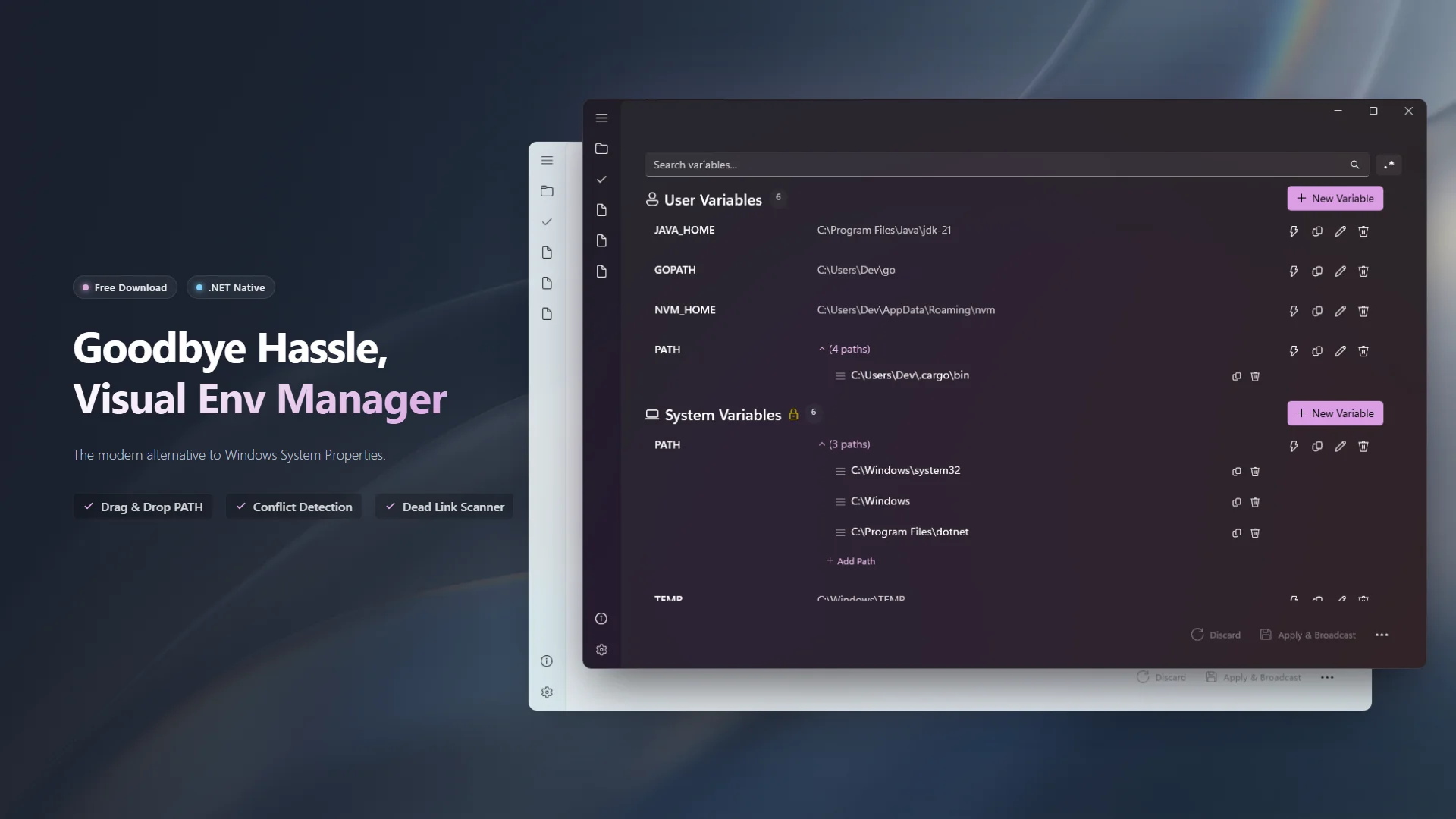
A modern environment variable manager for Windows
Intuitive visual editor, drag-and-drop PATH management, deduplication, dead-link detection, EXE override detection, scope conflict detection, snapshot & rollback, profile switching — all in a native WinUI 3 experience.
The Environment Variable Manager You Deserve
EnvStudio is a sleek, powerful tool built for developers and system administrators who work with Windows environment variables daily. Say goodbye to the clunky built-in System Properties dialog — EnvStudio brings a native Windows 11 experience to environment variable management.

🚀 Features
- Intuitive Visual Editor — Add, edit, delete, and reorder environment variables with a modern WinUI 3 interface.
- PATH List Management — Drag-and-drop reordering, deduplication, and dead-link detection for PATH entries.
- EXE Override Detection — Scans all directories in PATH for executables and shows which ones are overridden by entries earlier in the list. Expand any exe to see all sources and jump directly to the competing entry.
- Scope Conflict Detection — When a user variable shadows a system variable with the same name, shows a strikethrough with a warning icon so you always know which value is actually in effect.
- Non-Destructive Toggle — Disable a variable without deleting it. Silently renames the registry value, preserving the original data. Re-enable it anytime with one click.
- Delete Safety Checks — Before deleting a variable, scans all other variables for
%VARNAME%references and warns about potential breakage. - Variable Expansion Preview — Hover over any value containing
%VAR%references to see the fully resolved path in a tooltip. - External Change Detection — Monitors the registry in real time. If another program modifies environment variables while EnvStudio is open, you get an immediate notification to refresh.
- Profile System — Save, switch, and apply variable profiles for different development environments.
- Snapshot & Rollback — Automatic snapshots before every change, with Git-style diff view and one-click rollback.
- Search & Filter — Quickly find variables across User and System scopes with regex support. Matching PATH sub-entries are automatically expanded with a badge showing match count.
- Export — Export variables to PowerShell, Batch, or .env file formats. Share environment configs with your team or quickly restore after a system reinstall.
- UAC Elevation — Seamless administrator elevation for editing System variables.
- Instant Broadcast — Changes are immediately broadcast to the system via
WM_SETTINGCHANGE.
🛡️ 100% Offline & Secure
EnvStudio respects your privacy. It operates entirely offline with no telemetry or data collection. What you configure stays strictly on your machine.
For more details, please review our Privacy Policy and Terms of Use.
🤝 Support & Feedback
EnvStudio is free to download and use, with an optional one-time Pro upgrade that unlocks unlimited profiles and full snapshot history. If you find it useful, a positive review on the Microsoft Store would be greatly appreciated!
🛠️ Bug Reports & Feature Requests
- 🐛 Report a Bug: Found something wrong? Let us know!
- ✨ Suggest a Feature: Have an idea to make the app better? We'd love to hear it.